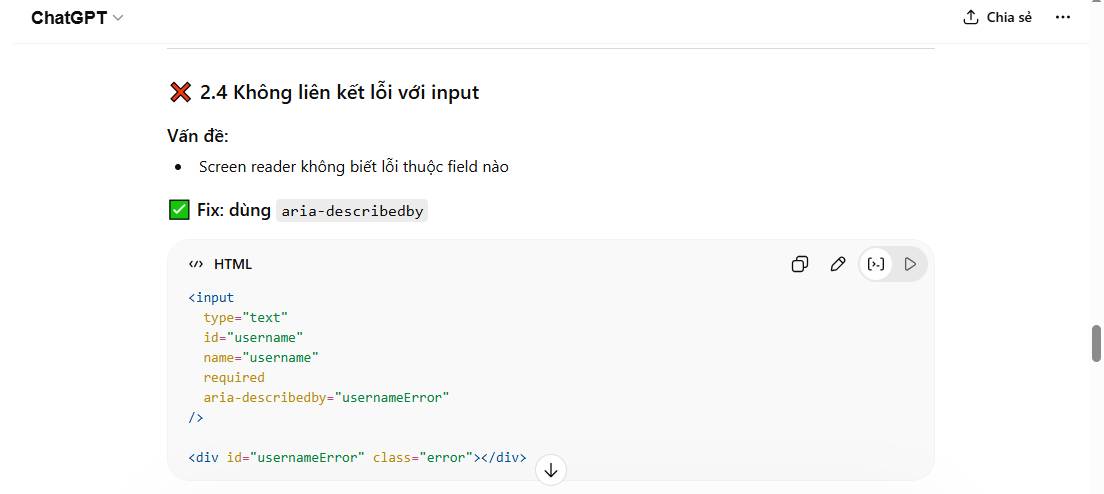
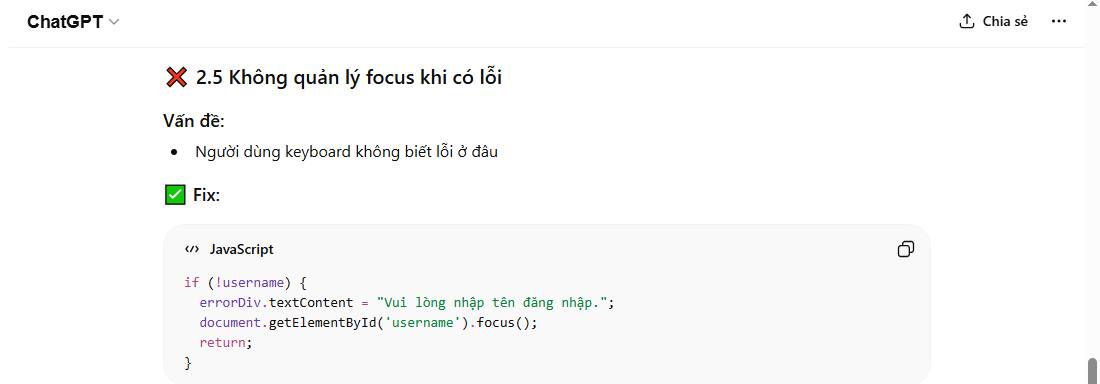
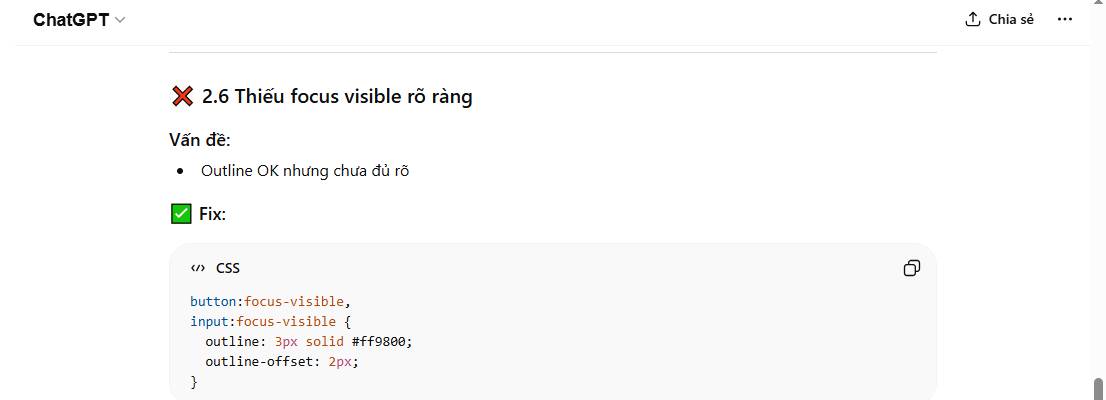
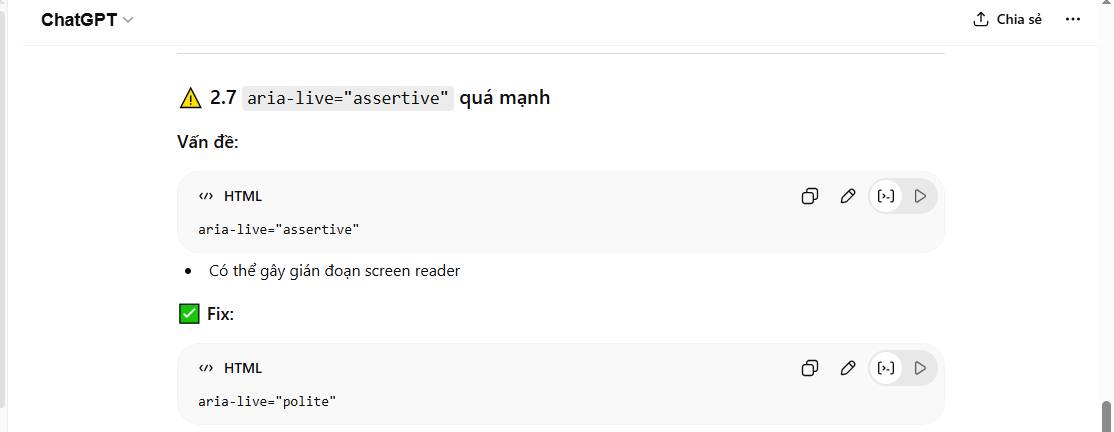
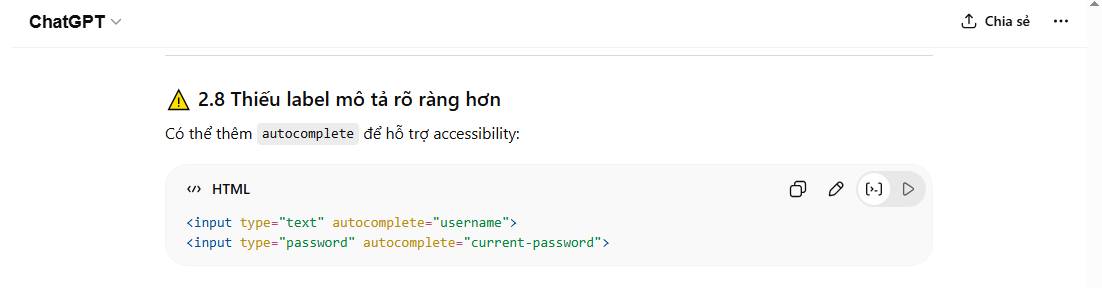
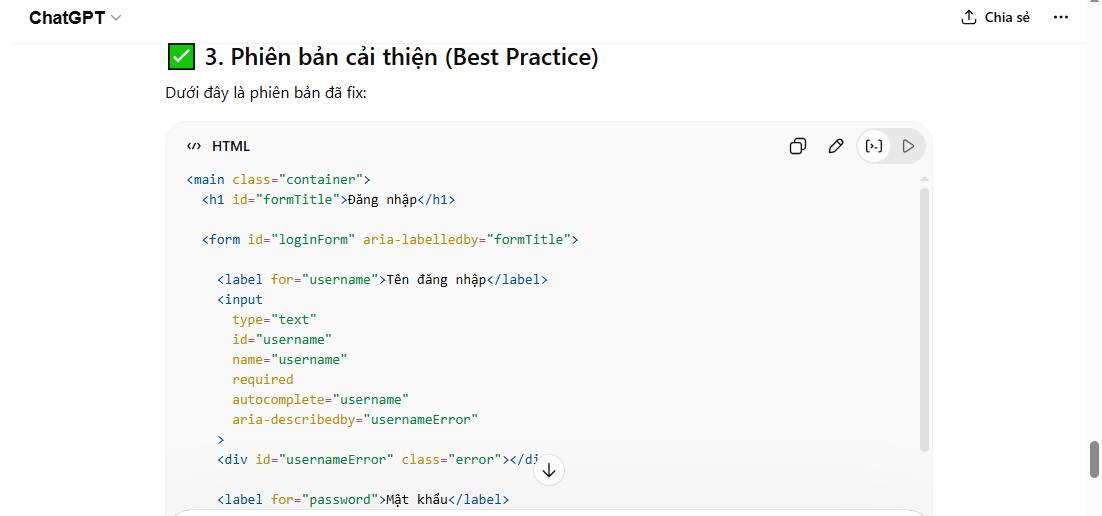
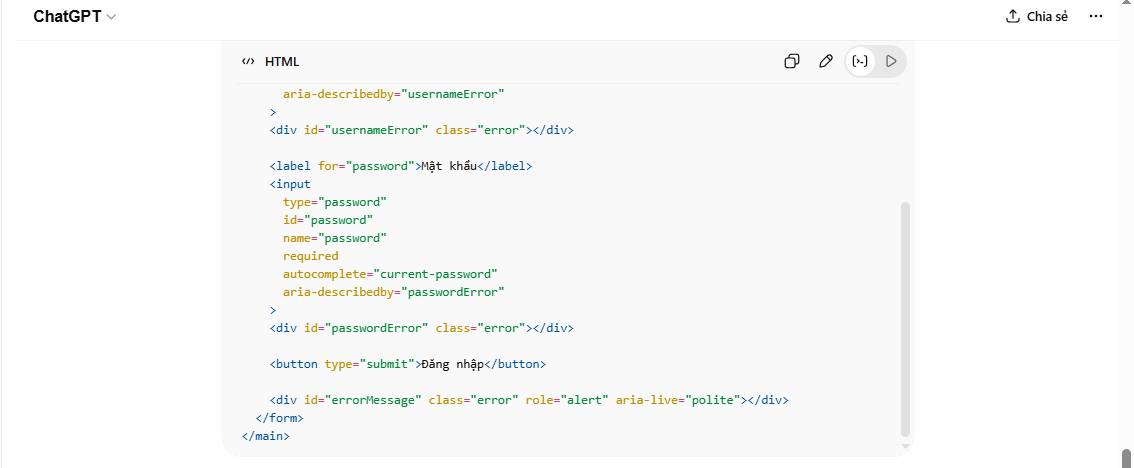
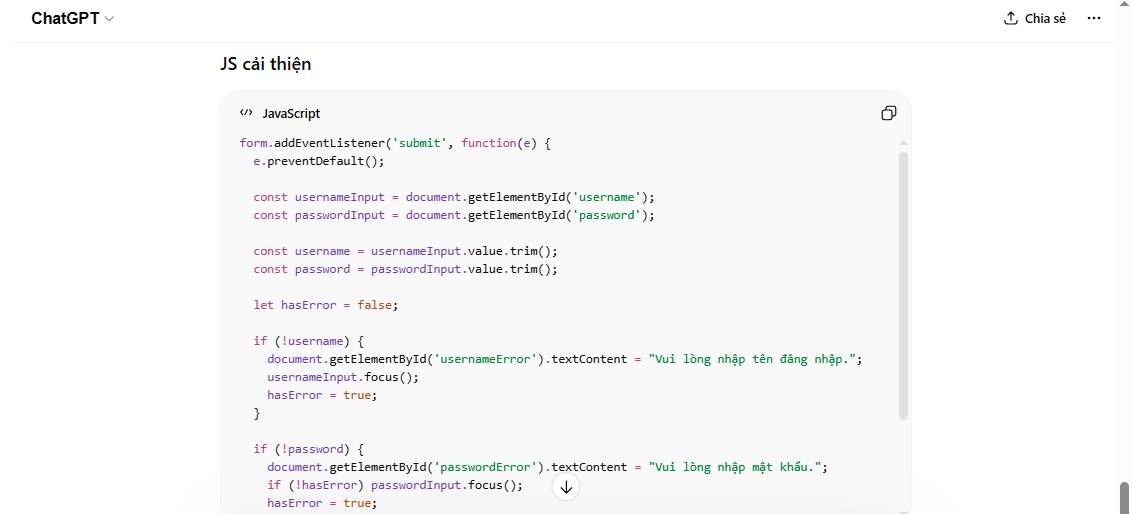
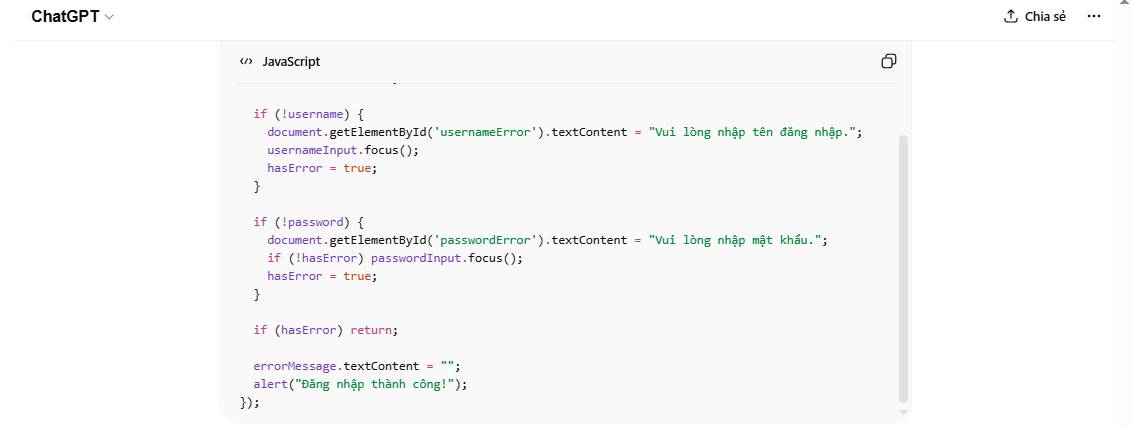
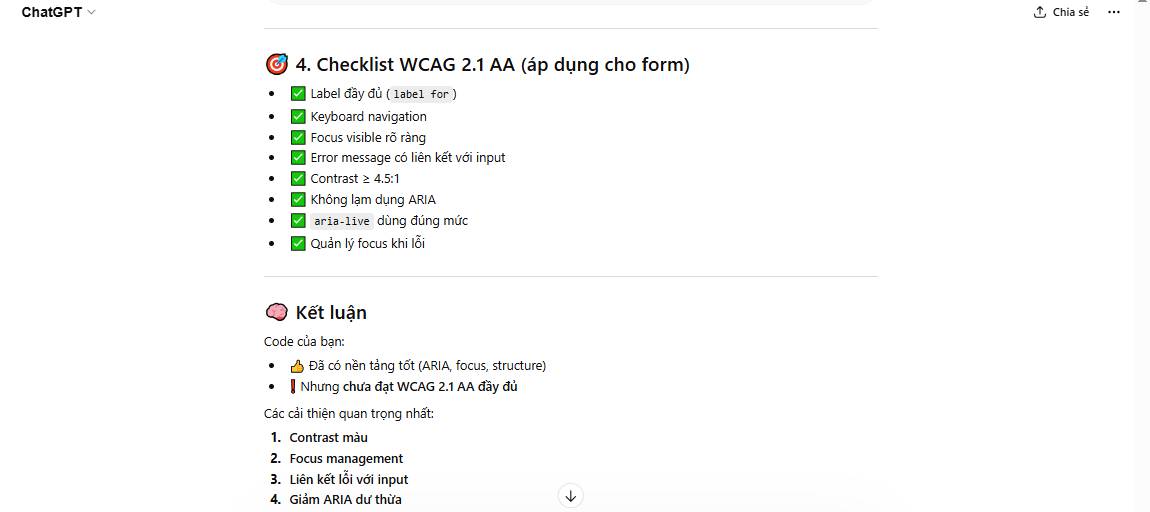
Trong bối cảnh phần mềm ngày càng hướng tới phục vụ mọi đối tượng người dùng, khả năng truy cập (accessibility) không còn là yếu tố “tùy chọn” mà đã trở thành tiêu chuẩn quan trọng trong phát triển ứng dụng. Tuy nhiên, việc kiểm tra accessibility trong code thường bị bỏ sót do thiếu quy trình rõ ràng hoặc công cụ phù hợp. Đây chính là lúc các mẫu prompt kiểm tra khả năng truy cập phát huy giá trị.
Chủ đề này tập trung vào việc xây dựng các prompt có cấu trúc, giúp lập trình viên nhanh chóng đánh giá mức độ tuân thủ accessibility của code (web, mobile, hoặc backend API). Thông qua việc tận dụng AI, các prompt này có thể hỗ trợ phát hiện những vấn đề phổ biến như thiếu thẻ semantic HTML, không hỗ trợ screen reader, màu sắc không đạt độ tương phản, hoặc trải nghiệm không thân thiện với người dùng khuyết tật.
Bằng cách chuẩn hóa các prompt kiểm tra, bạn không chỉ cải thiện chất lượng sản phẩm mà còn tích hợp accessibility vào quy trình phát triển một cách tự nhiên và hiệu quả hơn. Bài viết này sẽ cung cấp nền tảng và ví dụ thực tiễn để bạn áp dụng ngay trong dự án của mình.
Mẫu prompt kiểm tra khả năng truy cập cho code
Kiểm tra khả năng truy cập cho code này:
[DÁN CODE FRONTEND]
Framework: [ví dụ: React, Vue, HTML/CSS]
Kiểm tra:
- Tuân thủ WCAG 2.1 AA
- Điều hướng bằng bàn phím
- Khả năng tương thích với trình đọc màn hình
- Thuộc tính ARIA
- Độ tương phản màu
- Quản lý tiêu điểm
Cung cấp các giải pháp cụ thể kèm theo ví dụ code.
Phù hợp nhất cho: GPT-5, Claude 4 Sonnet
Cách sử dụng prompt
- Thay thế [DÁN CODE FRONTEND] bằng code sau:
<!DOCTYPE html>
<html lang="vi">
<head>
  <meta charset="UTF-8">
  <title>Accessible Login</title>
  <meta name="viewport" content="width=device-width, initial-scale=1.0">

  <style>
    body {
      font-family: Arial, sans-serif;
      background: #f5f5f5;
      display: flex;
      justify-content: center;
      align-items: center;
      height: 100vh;
    }

    .container {
      background: white;
      padding: 24px;
      border-radius: 8px;
      width: 320px;
      box-shadow: 0 2px 8px rgba(0,0,0,0.1);
    }

    label {
      display: block;
      margin-top: 12px;
      font-weight: bold;
    }

    input {
      width: 100%;
      padding: 8px;
      margin-top: 4px;
    }

    button {
      margin-top: 16px;
      width: 100%;
      padding: 10px;
      background: #007BFF;
      color: white;
      border: none;
      cursor: pointer;
    }

    button:focus, input:focus {
      outline: 3px solid #ff9800;
    }

    .error {
      color: red;
      margin-top: 8px;
    }

    .sr-only {
      position: absolute;
      left: -9999px;
    }
  </style>
</head>
<body>

  <div class="container" role="main">
    <h1>Đăng nhập</h1>

    <form id="loginForm" aria-labelledby="formTitle">
      <p id="formTitle" class="sr-only">Form đăng nhập người dùng</p>

      <label for="username">Tên đăng nhập</label>
      <input
        type="text"
        id="username"
        name="username"
        required
        aria-required="true"
      >

      <label for="password">Mật khẩu</label>
      <input
        type="password"
        id="password"
        name="password"
        required
        aria-required="true"
      >

      <button type="submit">Đăng nhập</button>

      <div id="errorMessage" class="error" role="alert" aria-live="assertive"></div>
    </form>
  </div>

  <script>
    const form = document.getElementById('loginForm');
    const errorDiv = document.getElementById('errorMessage');

    form.addEventListener('submit', function(e) {
      e.preventDefault();

      const username = document.getElementById('username').value;
      const password = document.getElementById('password').value;

      if (!username || !password) {
        errorDiv.textContent = "Vui lòng nhập đầy đủ thông tin.";
        return;
      }

      errorDiv.textContent = "";
      alert("Đăng nhập thành công!");
    });
  </script>

</body>
</html>- Chọn framework là HTML/CSS
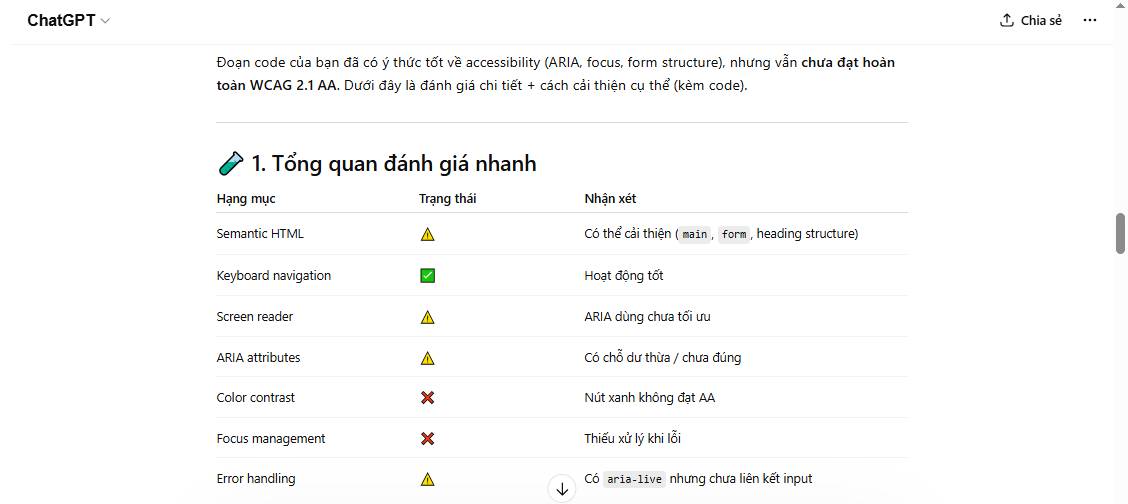
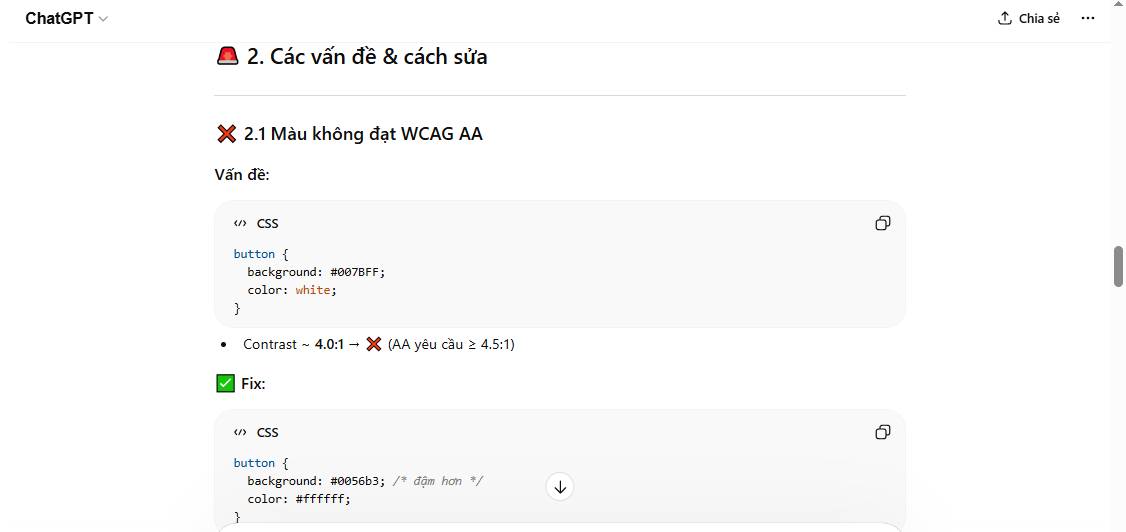
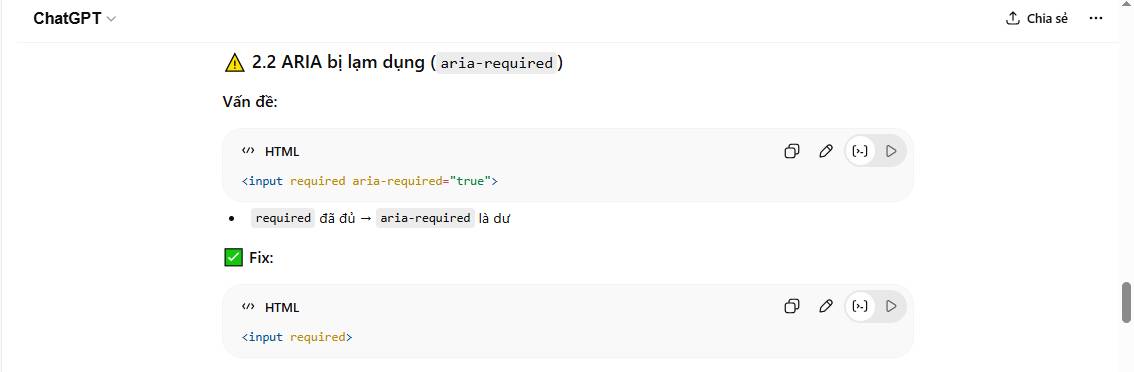
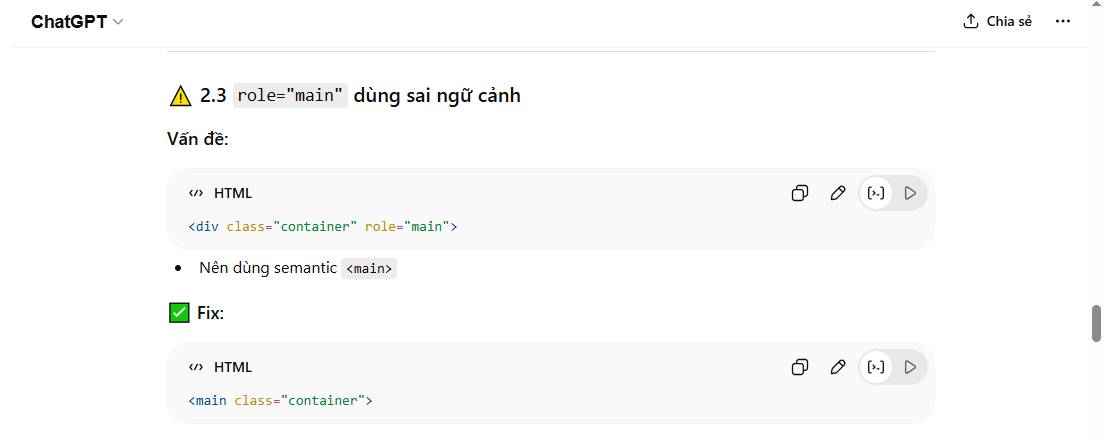
Kết quả ví dụ prompt mẫu được thực hiện bằng GPT-5
Kiểm tra khả năng truy cập cho code này:
<!DOCTYPE html>
<html lang="vi">
<head>
<meta charset="UTF-8">
<title>Accessible Login</title>
<meta name="viewport" content="width=device-width, initial-scale=1.0">
<style>
body {
font-family: Arial, sans-serif;
background: #f5f5f5;
display: flex;
justify-content: center;
align-items: center;
height: 100vh;
}
.container {
background: white;
padding: 24px;
border-radius: 8px;
width: 320px;
box-shadow: 0 2px 8px rgba(0,0,0,0.1);
}
label {
display: block;
margin-top: 12px;
font-weight: bold;
}
input {
width: 100%;
padding: 8px;
margin-top: 4px;
}
button {
margin-top: 16px;
width: 100%;
padding: 10px;
background: #007BFF;
color: white;
border: none;
cursor: pointer;
}
button:focus, input:focus {
outline: 3px solid #ff9800;
}
.error {
color: red;
margin-top: 8px;
}
.sr-only {
position: absolute;
left: -9999px;
}
</style>
</head>
<body>
<div class="container" role="main">
<h1>Đăng nhập</h1>
<form id="loginForm" aria-labelledby="formTitle">
<p id="formTitle" class="sr-only">Form đăng nhập người dùng</p>
<label for="username">Tên đăng nhập</label>
<input
type="text"
id="username"
name="username"
required
aria-required="true"
>
<label for="password">Mật khẩu</label>
<input
type="password"
id="password"
name="password"
required
aria-required="true"
>
<button type="submit">Đăng nhập</button>
<div id="errorMessage" class="error" role="alert" aria-live="assertive"></div>
</form>
</div>
<script>
const form = document.getElementById('loginForm');
const errorDiv = document.getElementById('errorMessage');
form.addEventListener('submit', function(e) {
e.preventDefault();
const username = document.getElementById('username').value;
const password = document.getElementById('password').value;
if (!username || !password) {
errorDiv.textContent = "Vui lòng nhập đầy đủ thông tin.";
return;
}
errorDiv.textContent = "";
alert("Đăng nhập thành công!");
});
</script>
</body>
</html>
Framework: HTML/CSS
Kiểm tra:
- Tuân thủ WCAG 2.1 AA
- Điều hướng bằng bàn phím
- Khả năng tương thích với trình đọc màn hình
- Thuộc tính ARIA
- Độ tương phản màu
- Quản lý tiêu điểm
Cung cấp các giải pháp cụ thể kèm theo ví dụ code.
=============================
TƯ VẤN:
Click Here hoặc Hotline/Zalo 090.29.12.888
=============================
Website không chứa bất kỳ quảng cáo nào, mọi đóng góp để duy trì phát triển cho website (donation) xin vui lòng gửi về STK 90.2142.8888 - Ngân hàng Vietcombank Thăng Long - TRAN VAN BINH
=============================
Nếu bạn không muốn bị AI thay thế và tiết kiệm 3-5 NĂM trên con đường trở thành DBA chuyên nghiệp hay làm chủ Database thì hãy đăng ký ngay KHOÁ HỌC ORACLE DATABASE A-Z ENTERPRISE, được Coaching trực tiếp từ tôi với toàn bộ bí kíp thực chiến, thủ tục, quy trình của gần 20 năm kinh nghiệm (mà bạn sẽ KHÔNG THỂ tìm kiếm trên Internet/Google) từ đó giúp bạn dễ dàng quản trị mọi hệ thống Core tại Việt Nam và trên thế giới, đỗ OCP.
- CÁCH ĐĂNG KÝ: Gõ (.) hoặc để lại số điện thoại hoặc inbox
https://m.me/tranvanbinh.vn hoặc Hotline/Zalo 090.29.12.888
- Chi tiết tham khảo:
https://bit.ly/oaz_w
=============================
2 khóa học online qua video giúp bạn nhanh chóng có những kiến thức nền tảng về Linux, Oracle, học mọi nơi, chỉ cần có Internet/4G:
- Oracle cơ bản:
https://bit.ly/admin_1200
- Linux:
https://bit.ly/linux_1200
=============================
KẾT NỐI VỚI CHUYÊN GIA TRẦN VĂN BÌNH:
📧 Mail: binhoracle@gmail.com
☎️ Mobile/Zalo: 0902912888
👨 Facebook:
https://www.facebook.com/BinhOracleMaster
👨 Inbox Messenger:
https://m.me/101036604657441 (profile)
👨 Fanpage:
https://www.facebook.com/tranvanbinh.vn
👨 Inbox Fanpage:
https://m.me/tranvanbinh.vn
👨👩 Group FB:
https://www.facebook.com/groups/DBAVietNam
👨 Website:
https://www.tranvanbinh.vn
👨 Blogger:
https://tranvanbinhmaster.blogspot.com
🎬 Youtube:
https://www.youtube.com/@binhguru
👨 Tiktok:
https://www.tiktok.com/@binhguru
👨 Linkin:
https://www.linkedin.com/in/binhoracle
👨 Twitter:
https://twitter.com/binhguru
👨 Podcast:
https://www.podbean.com/pu/pbblog-eskre-5f82d6
👨 Địa chỉ: Tòa nhà Sun Square - 21 Lê Đức Thọ - Phường Mỹ Đình 1 - Quận Nam Từ Liêm - TP.Hà Nội
=============================
cơ sở dữ liệu, cơ sở dữ liệu quốc gia, database, AI, trí tuệ nhân tạo, artificial intelligence, machine learning, deep learning, LLM, ChatGPT, DeepSeek, Grok, oracle tutorial, học oracle database, Tự học Oracle, Tài liệu Oracle 12c tiếng Việt, Hướng dẫn sử dụng Oracle Database, Oracle SQL cơ bản, Oracle SQL là gì, Khóa học Oracle Hà Nội, Học chứng chỉ Oracle ở đầu, Khóa học Oracle online,sql tutorial, khóa học pl/sql tutorial, học dba, học dba ở việt nam, khóa học dba, khóa học dba sql, tài liệu học dba oracle, Khóa học Oracle online, học oracle sql, học oracle ở đâu tphcm, học oracle bắt đầu từ đâu, học oracle ở hà nội, oracle database tutorial, oracle database 12c, oracle database là gì, oracle database 11g, oracle download, oracle database 19c/21c/23c/23ai, oracle dba tutorial, oracle tunning, sql tunning , oracle 12c, oracle multitenant, Container Databases (CDB), Pluggable Databases (PDB), oracle cloud, oracle security, oracle fga, audit_trail,oracle RAC, ASM, oracle dataguard, oracle goldengate, mview, oracle exadata, oracle oca, oracle ocp, oracle ocm , oracle weblogic, postgresql tutorial, mysql tutorial, mariadb tutorial, ms sql server tutorial, nosql, mongodb tutorial, oci, cloud, middleware tutorial, docker, k8s, micro service, hoc solaris tutorial, hoc linux tutorial, hoc aix tutorial, unix tutorial, securecrt, xshell, mobaxterm, putty